Jake's Resume Template
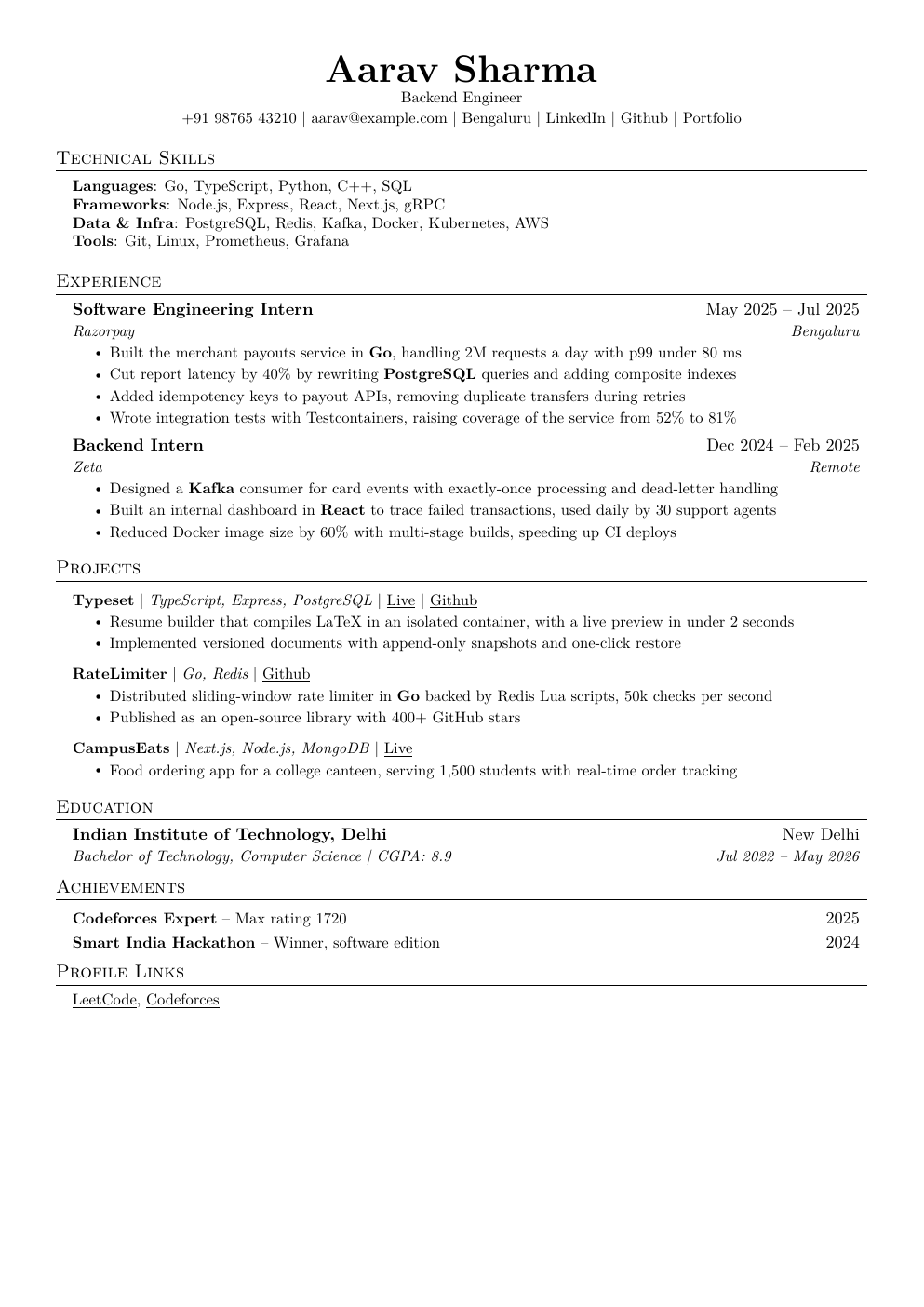
Jake Gutierrez's single-column template is the most copied tech resume on the internet, and for good reason: it is plain, dense and easy for both recruiters and ATS software to read. Here it comes without the Overleaf setup.
- ATS-friendly
- Software engineering
- Students and freshers
- AI and ML
Who it's for
This is the safe default for almost anyone in tech, especially students and freshers. Recruiters have seen thousands of resumes in this layout, so nothing about it distracts from your content. Choose it when you want a proven format and would rather spend your time on bullets than on design.
What's in the Jake's Resume template
- Centered name with contact details and links on one line
- Education, experience, projects and skills in the classic order
- Bold titles with dates and locations flush right
- Tight one-page spacing at 11 pt
Tips for filling it in
- Freshers usually keep education first; move it down once you have a full-time job.
- Keep each bullet to one or two lines.
- Use the same date format everywhere, like "Jun 2025".
From a weak bullet to a strong one
- Before
- Made a chat app using React and Firebase.
- After
- Built a real-time chat app in React and Firebase with 120 weekly users on campus; added message search that answers in under 200 ms.
A strong bullet says what you did, with what, and what changed.
How it works
Fill in a simple form or import the resume you already have, and Shortlist typesets it with LaTeX for you, no LaTeX knowledge needed. Paste a job description to tailor it for each application, switch templates anytime without retyping, and download a PDF. Building resumes is free.