UI/UX Designer Resume Template
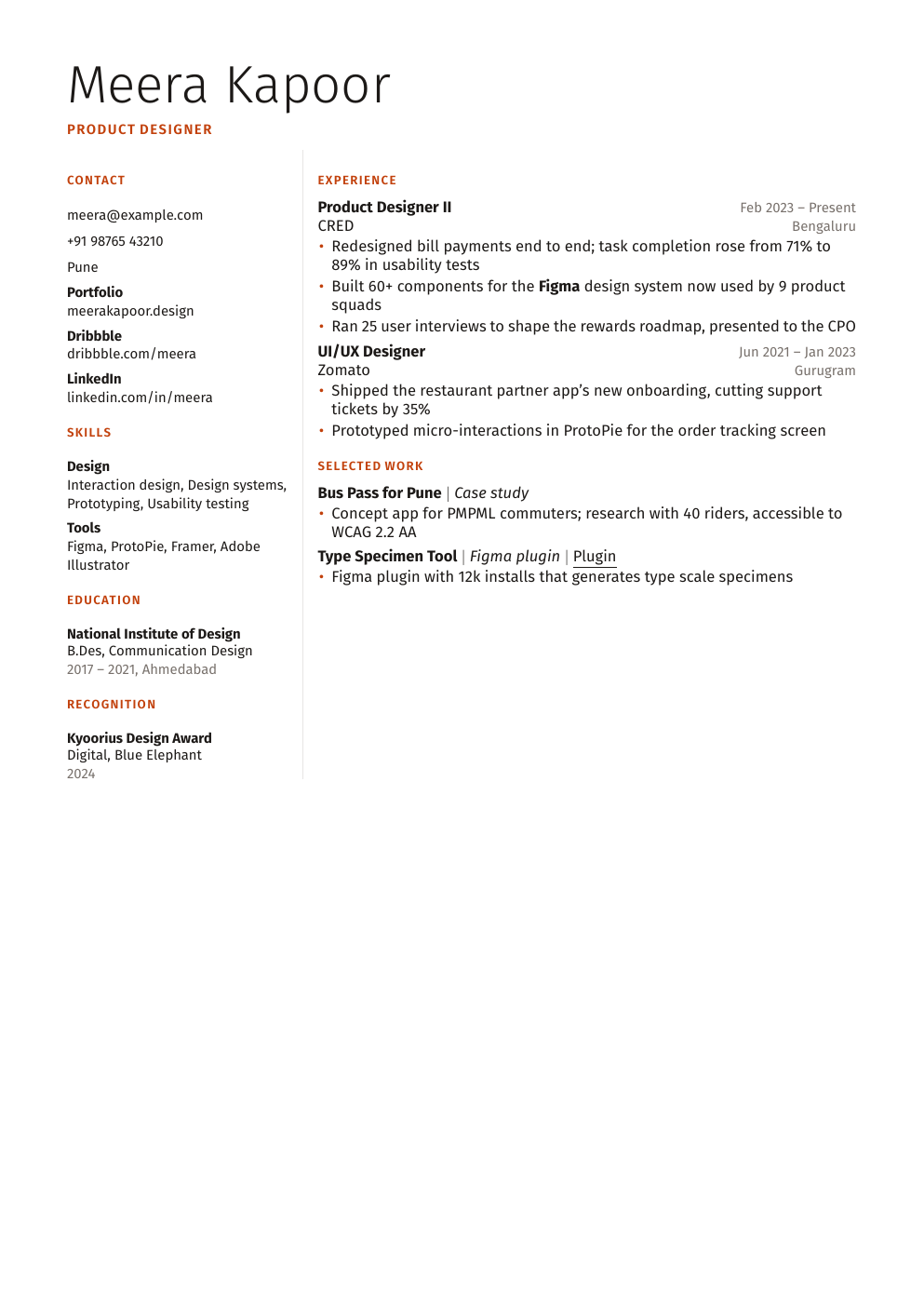
A two-column layout for UI/UX and product designers. A narrow sidebar holds contact details, skills, tools and education, and the main column tells the story of your work. Columns can trip up some ATS software, so use it where a person reads your resume first, like portfolio-led applications.
- Design
- Product
Who it's for
Choose Designer when a person, not a filter, reads your resume first: portfolio-led applications, referrals and design studios. The sidebar keeps tools and links visible while the main column tells the story of your work. For job portals with strict ATS screening, switch to Modern; your content carries over.
What's in the Designer template
- Light display name and a narrow sidebar
- Sidebar for contact, portfolio link, tools and education
- Main column for experience and case studies
- Both columns can continue onto a second page
Tips for filling it in
- Your portfolio link is the most important line: put it at the top.
- Describe the problem and the result for each project, not just the screens.
- For job portals with strict ATS checks, switch to the Modern template; your content carries over.
From a weak bullet to a strong one
- Before
- Designed screens for a food delivery app.
- After
- Redesigned the checkout flow for a food delivery app after 8 user interviews, cutting drop-off at payment from 34% to 21%.
A strong bullet says what you did, with what, and what changed.
How it works
Fill in a simple form or import the resume you already have, and Shortlist typesets it with LaTeX for you, no LaTeX knowledge needed. Paste a job description to tailor it for each application, switch templates anytime without retyping, and download a PDF. Building resumes is free.